
Affiliate Disclosure: This post may contain affiliate links. If you click and make a purchase, we may earn a small commission at no extra cost to you. Read more at our Affiliate Disclosure page.
Walk into any gaming setup tour on YouTube, any esports broadcast, or any university dorm with a gaming PC, and there is a reasonable chance you will see that triple-headed snake logo somewhere in the frame. The green and black. The RGB glow synchronised across mouse, keyboard, and headset. Razer has built something genuinely unusual in consumer electronics: a brand with the kind of cultural gravity that makes people want to buy it before they have done any research at all.
That brand power is real, and so are the products behind it. But Razer also has a set of documented, persistent problems that turn up reliably across review platforms, forums, and support threads. Understanding both sides is essential before spending anywhere from $35 on a budget headset to $4,000 on a Blade laptop.
What Razer Actually Is
Razer Inc. was founded in 1998 as a subsidiary of Kärna LLC by Min-Liang Tan, a Singaporean intellectual property lawyer, and Robert Krakoff, an electronics executive who went by the nickname “RazerGuy.” Their first product, the Boomslang gaming mouse, launched in 1999 to meet a specific need: competitive PC gamers in titles like Quake and StarCraft were using generic office mice that lacked the precision and responsiveness that high-level play demanded.
Kärna went bankrupt in 2001. Tan and Krakoff regrouped, secured backing from Hong Kong tycoon Li Ka-shing’s Horizon Ventures, Temasek Holdings, and Intel Capital, and refounded Razer Inc. in 2005 with dual headquarters in San Diego and Singapore. The DeathAdder gaming mouse launched in 2006 and has since sold over 20 million units worldwide, becoming the best-selling gaming mouse line of all time.
Razer went public on the Hong Kong Stock Exchange in 2017, making Tan Singapore’s youngest self-made billionaire at age 40. In 2022, the company was taken private again in a buyout led by Tan and CVC Capital Partners, valuing the company at approximately $3.2 billion. Today the company operates dual headquarters in Irvine, California and the one-north district of Singapore, with 19 offices globally and over 200 million registered software users.
The brand’s ethos, “For Gamers. By Gamers,” has remained consistent since its founding and is not purely marketing. Tan himself remains an active gamer and serves as both CEO and Creative Director, personally overseeing the design of all Razer products. The company holds over 3,000 patents and has made genuine engineering contributions to the peripheral space: among them, the introduction of Razer mechanical switches (2014), HyperPolling 8000Hz wireless technology, analog optical switch technology, and HyperSense haptic feedback.
In August 2025, Razer established its first AI Centre of Excellence in Singapore, hiring 150 AI specialists and beginning development on tools including an AI game co-development assistant and an automated QA system that detects software bugs 25 percent more effectively than conventional testing.
What They Offer
Gaming Mice are where Razer’s reputation was built and where its strongest products still live.
The DeathAdder series is the brand’s most storied line. The DeathAdder V3 HyperSpeed, V3 Pro, and standard V3 represent an ergonomic right-handed design refined over two decades. The V3 Pro is a top-tier wireless performance mouse with the Focus Pro 35K optical sensor, HyperPolling wireless at up to 4000Hz, and a weight of approximately 64 grams. Prices range from $50 for the DeathAdder Essential (a more accessible entry) to $160 for the V3 Pro wireless.
The Viper V3 Pro is the brand’s answer to the ultra-lightweight competitive mouse trend, weighing under 60 grams with HyperPolling wireless and an 8-zone Chroma RGB system. This is the mouse that serious esports competitors reach for, and it has appeared in professional tournament setups at the highest level.
The Naga series serves MMO players specifically, with the Naga V2 Pro featuring a swappable side plate system that converts between 2-button, 6-button, and 12-button configurations for different game types.
The Basilisk V3 Pro targets FPS players with a larger grip, a DPI clutch button for rapid sensitivity switching, and tilt-click scroll wheel.
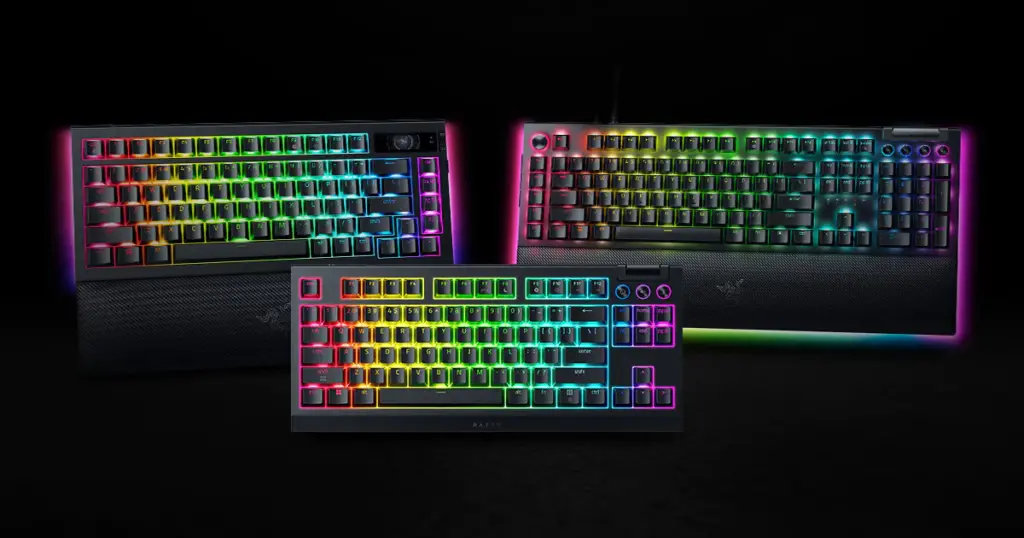
Gaming Keyboards span a wider range than most competitors, covering membrane, mechanical, optical, and analog optical switch technologies.
The BlackWidow series (V4 Pro, V4 75%, V4 X) uses Razer’s own mechanical switches: Green (tactile and clicky), Orange (tactile and silent), and Yellow (linear and silent). The BlackWidow V4 Pro adds wireless connectivity via HyperSpeed, a multi-function roller, and media controls. Prices sit from around $80 for the BlackWidow V4 X up to $230 for the V4 Pro.
The Huntsman V3 Pro is Razer’s flagship, using analog optical switches that register input along a continuous actuation spectrum rather than binary on/off. This allows variable input sensitivity in supported games, an approach with no equivalent in the mainstream keyboard market. Priced around $200 to $260.
The Ornata V3 and Ornata V3 X sit at the accessible end, using mello-key membrane switches at $50 to $70 for buyers who want a Razer keyboard at a lower price point.
Gaming Headsets cover a similar breadth.
The BlackShark V2 Pro is the wireless flagship at around $180, using TriForce Titanium 50mm drivers with three individually tunable frequency chambers. Its microphone received recognition in independent audio testing for pickup clarity in the gaming headset category.
The Kraken line is the entry-accessible family, from the Kraken X wired at around $35 to the Kraken V3 Pro with HyperSense haptic feedback at around $200. HyperSense translates in-game audio events into physical vibration feedback in the headset itself, which is a distinctive feature with no direct equivalent in competing brands.
The Barracuda Pro bridges gaming and lifestyle, offering dual wireless connectivity (2.4GHz gaming and Bluetooth everyday) with SmartSwitch for automatic device switching.
Razer Blade Laptops are the hardware that carries the highest price and the most complex reputation.
The Blade 14 is the most portable entry, using AMD processors with Nvidia RTX 50-series graphics in a thin 19mm chassis that weighs approximately 1.8kg. The OLED display, introduced on the 2025 model for the first time in this line, significantly upgrades the visual experience.
The Blade 16 is the flagship in terms of daily usability balance: 16-inch display, CNC aluminium unibody chassis at approximately 2.1kg, OLED QHD+ display running at 240Hz, and RTX 50-series GPU options up to the RTX 5090 on top configurations. Starting prices for 2025 and 2026 models run from approximately $2,500 to $4,500 depending on specification. The build quality draws frequent comparison to the MacBook Pro in terms of chassis feel and finish, which is not a comparison many gaming laptops invite.
The Blade 18 is the performance-maximum option: 18-inch dual-mode IPS display that can switch between 240Hz QHD+ and 440Hz FHD+, the heaviest and least portable of the range at around 3.1kg, and the configuration of choice for buyers who prioritise absolute performance over portability.
Controllers include the Wolverine V3 Pro for Xbox and PC, and the Kishi V2 mobile gaming controller that clips around a smartphone.
Streaming and Content Creation products include the Kiyo Pro webcam, the Seiren V3 Mini and Seiren V3 Chroma USB microphones, and the Ripsaw HD capture card.
Gaming Chairs (Enki Pro and Iskur V2) and gaming furniture expand the ecosystem for buyers who want the Razer aesthetic extending to their physical setup.
Razer Chroma is the RGB lighting platform connecting Razer hardware and over 500 compatible games, with support for third-party hardware from Corsair, SteelSeries, Philips Hue, and others. Chroma is genuinely the most mature and widely integrated RGB ecosystem in gaming, capable of synchronising lighting across an entire desk setup in response to in-game events.
Razer Synapse is the software platform through which peripherals are configured: DPI settings, macros, profiles, RGB customisation, and performance optimisation. Synapse is where Razer’s most consistent criticism is directed, and this is addressed in full in the review section below.
Razer Gold is a global gaming payment service accepted at over 50,000 game titles in more than 130 countries, with accompanying rewards through Razer Silver.
RazerCare is the extended warranty and protection plan for Razer hardware. The standard warranty across most products is one year, with RazerCare extending coverage and adding accidental damage protection for an additional cost.
Shop Razer Gaming Gear
From the DeathAdder mouse and BlackWidow keyboard to the Kraken headset and Blade laptop, Razer builds the full setup in one place. Free standard shipping on orders over $79, with a 14-day risk-free return window on everything.
The Honest Review
Razer occupies a polarising position in the gaming community. Enthusiasts who are fully committed to the ecosystem and have not encountered hardware failures tend to be highly loyal. Those who have dealt with Synapse bugs, early hardware failures, or customer support disputes tend to be vocal critics. The split is real, not manufactured, and understanding which camp you are more likely to join depends on what you buy and how you use it.
Advantages
Razer’s hardware engineering on its top-tier products is genuinely competitive with or ahead of anyone in the market. The Focus Pro and Focus Pro 35K optical sensors in the DeathAdder and Viper lines track accurately at high DPI settings with minimal acceleration or prediction, which is verifiable in independent sensor testing. The BlackShark V2 Pro’s microphone outperforms most gaming headsets in its price class in isolation. The Huntsman V3 Pro’s analog optical switches represent a genuine innovation with no direct equivalent. In peripherals, when the hardware is working correctly, Razer earns its pricing premium.
The Blade laptop chassis is the strongest physical argument for the premium. The CNC-milled aluminium body feels materially different from the plastic-and-magnesium constructions used by most gaming laptop competitors. Picking up a Blade 16 feels like picking up a MacBook Pro, not like picking up a gaming laptop. For buyers who carry their machine to work, lectures, or client meetings, this matters in a way that raw benchmark scores do not fully capture. The OLED display options on 2025 and 2026 Blade models cover 100% DCI-P3 and offer 240Hz refresh with response times suited to both gaming and colour-accurate creative work.
The Chroma RGB ecosystem is the most mature and widely integrated in the market. Native support in over 500 games, compatibility with hardware from other brands, and a consistent API that third-party developers can integrate against creates a level of ambient responsiveness that is difficult to replicate by mixing equipment from different manufacturers. For buyers who want their setup to feel cohesive, Chroma’s breadth is a genuine differentiator.
The collaboration and limited edition programme is strong and varied. The Evangelion EVA-02 collection, Pokémon editions, esports team editions (Sentinels, FAKER), and seasonal specials cater to a collector audience and a crossover fanbase in ways that competitors like Logitech and SteelSeries rarely attempt at the same scale.
Razer’s esports footprint is real. The brand sponsors or supplies gear to dozens of professional teams, and seeing the hardware in competitive use at high-level tournament play provides a form of independent validation that advertising cannot replicate.
Disadvantages
Razer Synapse software is the brand’s most persistent and widely documented problem, and calling it disappointing is an understatement given the price of the hardware it is required to run. Synapse 4, the current version, has been criticised for causing measurable FPS degradation in some game and GPU combinations (one documented case showed a drop from 76 to 31 FPS that disappeared when Synapse was closed), random profile corruption, USB reset loops during macro editing, crashes that require reinstallation, background process overhead, and inconsistent behaviour between Synapse and peripheral firmware. These are not isolated reports from a handful of users. They appear across Razer’s own Insider forum, Trustpilot, Reddit, and PC Gamer’s hardware coverage with enough frequency to constitute a structural pattern.
The practical consequence is significant: on Blade laptops, Synapse 4 is effectively mandatory, because closing it drops the Nvidia GPU’s maximum TDP to 120W, substantially reducing performance. Users are therefore required to keep running software that has documented performance and stability issues. Razer’s AI quality assurance programme, announced in 2025, is intended to address this class of issue. Whether it has produced meaningful improvement is something buyers researching current models should verify against recent forums.
Customer support quality is uneven in ways that correlate poorly with the premium pricing. Trustpilot reviews describe warranty cases that took months to resolve, replacements that failed within their warranty extension period with subsequent claims denied, agents providing contradictory information across the same ticket, and requests for video evidence of faults before action is taken. Razer’s support does respond and, in many cases, does ultimately resolve issues. But the process is widely described as slow and friction-heavy relative to what buyers paying $150 for a mouse or $3,500 for a laptop reasonably expect.
The “Razer tax” is real and should be incorporated honestly into any buying decision. Mice, keyboards, and headsets from competing brands such as Logitech G, Corsair, SteelSeries, and HyperX frequently offer comparable or technically superior specifications at 20 to 40 percent lower prices. On Blade laptops, similarly specified configurations from Lenovo Legion, ASUS ROG, or MSI typically undercut the Blade by $400 to $1,000. What you are paying for with Razer is the chassis quality, the aesthetic, the ecosystem integration, and the brand. Those are real considerations for the right buyer, but they should be chosen deliberately rather than discovered after purchase.
Durability of certain peripheral components is a recurring concern. Scroll wheel failure on mice, double-input registers on keyboard switches appearing within months of heavy use, and braided cable fraying on wired peripherals all appear in review clusters. The category ceiling for a peripheral across any brand is limited by the fact that these are consumable tools used thousands of times daily. But at Razer’s price points, buyers reasonably expect a longer useful life than some units deliver.
The 2025 Razer Blade 16 had documented QA issues with trackpad intermittent unresponsiveness and keyboard double-register behaviour, linked to Synapse software. A Reddit poll of 106 Blade 16 owners found 41 reporting trackpad issues, a rate high enough to represent a genuine pattern rather than statistical noise. Additionally, the 2025 Blade 16’s USB-C ports route through the AMD integrated GPU rather than the Nvidia GPU, which means G-Sync is unavailable on external monitors connected via DisplayPort, and certain wired VR headsets are incompatible. This is a significant design decision that affects a meaningful portion of the target buyer’s use case.
Razer halted US laptop sales on April 2, 2025, coinciding with the announcement of upcoming US reciprocal tariffs. No official statement was published in connection with the timing. While the halt was temporary and sales subsequently resumed, the lack of communication reflected poorly on the company’s transparency with its customer base.
The FTC settlement issued in January 2025, requiring Razer to pay $1.1 million in refunds over misleading claims about the Razer Zephyr smart mask (which was marketed with implied N95-level protection it did not actually hold), is a documented instance of the brand overreaching its product claims. The Zephyr was a peripheral product outside Razer’s core competency, but the settlement is part of the public record.
Who Razer Is Actually Good For
Buyers who genuinely value the aesthetic and ecosystem coherence of a Chroma-synchronised setup, and who are prepared to navigate the software ecosystem to make it work. If you want your RGB to feel intentional rather than random, Razer’s breadth and Chroma’s game integration make this more achievable than with any competing brand.
Competitive gamers who want performance-tier mice and keyboards with verifiable sensor and switch quality. The DeathAdder V3 Pro and Viper V3 Pro are legitimately among the best wireless gaming mice available in 2025 and 2026 based on independent testing, and the HyperPolling wireless technology is a real differentiator in latency-sensitive play.
Content creators and professionals who want a gaming laptop that does not look like a gaming laptop. The Blade chassis is the only gaming-capable laptop in the market that can sit in a creative agency or business meeting without drawing hardware-specific attention. The OLED display quality on the 2025 and 2026 models is also genuinely suited to colour work.
Esports fans and community participants who want the gear associated with their favourite teams or games. The collaboration products and esports partnerships give Razer a cultural dimension that competing brands do not match at scale.
Collectors and gifters for whom the brand name and presentation quality at the point of unboxing matter. Razer packaging and retail presentation are premium for the category.
Razer is probably not the right fit for buyers who want the best performance-per-dollar value in peripherals (Logitech G, SteelSeries, and HyperX offer strong competition at lower prices), buyers who want the highest-FPS gaming performance from a laptop budget (Lenovo Legion and ASUS ROG allocate more of the budget to performance components), or buyers who are unwilling to tolerate software overhead and potential instability in exchange for the hardware quality.
How the Product Lines Actually Differ
Mice by use case: DeathAdder for large-handed players who prefer an ergonomic right-handed grip and want the most established sensor configuration. Viper V3 Pro for players who prioritise minimal weight and use a claw or fingertip grip. Naga for MMO and MOBA players who need many keybinds within thumb reach. Basilisk for FPS players who want a DPI clutch and a scroll wheel with distinct resistance. Cobra for players who want a compact, ambidextrous option at a lower price.
Keyboards by switch preference: Green switches for typists and gamers who want tactile-and-clicky feedback. Orange for tactile feedback without click noise in shared spaces. Yellow for competitive gaming that prioritises fast linear actuation over tactile response. Analog (Huntsman) for games that support variable input, or buyers who want a mechanically distinct switch feel.
Headsets by priority: BlackShark V2 Pro for the best wireless audio and microphone quality Razer offers. Kraken V3 HyperSense for buyers who want haptic feedback as a genuine gameplay feature. Barracuda Pro for buyers who want a headset that transitions between gaming and daily listening without changing devices.
Blade laptops by use case: Blade 14 for buyers who need the most portable performance machine and will accept a smaller display. Blade 16 for buyers who want the balance of display size, portability, and performance that covers both gaming and creative work. Blade 18 for buyers who prioritise maximum performance and immersive display and do not need the machine to travel.
How to Save
Buy during sale events: Razer offers meaningful discounts through Amazon, Best Buy, and Razer’s own site during Black Friday, Cyber Monday, and major gaming events. The BlackShark V2 X has dropped to $35 from $50. The BlackWidow V4 X has been available at $105 from $130. Blade laptops appear at $200 to $500 off during major retail windows. These are the times where the Razer tax shrinks significantly.
Wait for a generation transition: when Razer announces new Blade configurations, previous-generation machines appear at reduced prices at retail. Buyers who do not need the absolute latest RTX series can access Blade hardware at meaningfully better value.
Shop Razer Outlet: razer.com maintains a certified refurbished and outlet section with discounted pricing on returned or previous-generation hardware, all carrying the standard one-year warranty.
Use Razer Gold for digital game purchases: Razer Gold earns Razer Silver rewards points redeemable against future hardware purchases. Buyers who purchase games digitally can accumulate meaningful credit toward peripherals over time.
Consider RazerCare immediately after purchase: if you purchase a Blade laptop or expensive peripheral, evaluate RazerCare in the initial window. Adding accidental damage protection to a $3,000 laptop at the point of purchase costs substantially less than it would if the screen or chassis is damaged during the warranty period.
Turn off Synapse auto-renewal and disable unnecessary startup items: once set up, Synapse runs multiple background processes that consume memory and CPU resources. Disabling auto-start for components you do not actively use (Chroma, analytics reporting, overlay features) reduces the software overhead on your system without losing core functionality.
Disable auto-renewal on the Blade before the warranty renews: like any subscription-adjacent service, RazerCare renewal pricing is worth reviewing before it auto-activates. Calendar reminders applied at purchase time prevent unexpected charges.
Build Your Setup for Less with Razer’s Loyalty and Discount Programmes
Signing up for the Razer newsletter gets you $10 off your first order of $99 or more, and creating a full Razer ID unlocks $20 off an order of $100 or above. Students and education staff get 15% off peripherals and accessories, 10% off PC components, and 5% off Razer Blade laptops through the verified education programme. First responders, medical providers, and military members can access the same 15% and 5% discount tiers through ID.me verification. The RazerStore Rewards loyalty programme earns 50 Razer Silver points per dollar spent, redeemable against future purchases. The Final Round section of the site carries past-generation gear at reduced prices with full warranties still intact. Black Friday and Cyber Monday regularly produce discounts of up to 40 to 50% across mice, keyboards, headsets, and chairs, making those the best windows for higher-ticket purchases.
Frequently Asked Questions
Is the Razer tax worth it?
It depends entirely on what you are buying it for. For peripherals, the honest answer is that competing brands offer equivalent or better specifications in mice, keyboards, and headsets at 20 to 40 percent lower prices. What Razer offers that competitors often do not is the aesthetic cohesion of Chroma across an entire setup, the cultural weight of the brand in esports and gaming communities, and a hardware design language that many buyers find compelling on its own merits. If those things matter to you and you understand what you are paying for, the tax is worth it. If you are purely optimising for sensor precision, switch quality, or audio performance per dollar, other brands win.
Is Synapse mandatory?
For most Razer peripherals, Synapse is required for access to DPI adjustment, custom profiles, macro configuration, and RGB lighting control. Some settings can be saved to onboard memory and persist without Synapse running, but the full feature set requires the software active. On Blade laptops, Synapse is effectively essential, because disabling it caps the Nvidia GPU’s power limit at 120W rather than its full TDP, which significantly reduces gaming performance. Understanding this dependency before purchasing is important for buyers who are concerned about software overhead or stability.
How reliable are Razer products?
The honest answer is variable. At the high end, the Blade chassis quality is genuinely premium and the structural durability is strong. Peripheral durability is more inconsistent: the DeathAdder and Viper lines have strong track records for most users, but scroll wheel failures, switch double-registration, and cable durability issues appear in review volumes that are disproportionate to the price point for some specific products. The safest approach is to check recent specific product reviews (not brand-level reviews) before buying a particular peripheral, as quality can vary between product lines even within the Razer range.
Are Blade laptops good for non-gaming use?
Yes, particularly the Blade 14 and Blade 16. The combination of a CNC aluminium chassis that looks professional in any environment, OLED display quality suited to colour work, and CPU performance strong enough for video editing, 3D rendering, and software development makes the Blade a genuine dual-use machine. The Blade 18 is less suited to professional mobility due to its weight and visual profile. Battery life on all Blade models is limited compared to non-gaming laptops, which is a structural trade-off of high-performance hardware in compact chassis.
What is Razer Chroma and do I need it?
Razer Chroma is the RGB lighting platform connecting Razer devices to each other, to compatible third-party hardware, and to over 500 games that can trigger lighting events in response to in-game situations. You do not need Chroma to use Razer hardware, but it is the system that enables the synchronised aesthetic that defines the brand’s visual identity. If you are not interested in RGB lighting, static or lighting-off configurations are available on all Chroma-equipped devices through Synapse settings.
What should I check before buying a Razer Blade laptop?
Several specific things are worth researching before committing. First, check whether the specific model you are considering uses USB-C ports connected to the Nvidia GPU or the integrated AMD GPU, as this affects G-Sync external monitor compatibility and VR headset compatibility. Second, verify current forum reports on Synapse stability for that specific model and operating system version, as issues vary between generations. Third, check whether the RAM in your configuration is soldered (limiting future upgrades) or socketed. Fourth, evaluate whether RazerCare extended coverage is appropriate for a machine at this price, given the customer support friction documented for out-of-warranty repairs.